Register now and start:
- Accessing PAR Training
- Shopping PAR products & tools
- Using online assessments with PARiConnect



PARiConnect saves time, offers insightful reports, & exceptional reliability!

You have two ways to refine any section of the report directly within PARiConnect — no exporting to Word required until the report is final.
Editing toolbar. A built-in editing toolbar lets you revise wording and formatting within any section of your report. Edits stay within PARiConnect's secure environment.
Section regeneration. Use the Regenerate button on any section to rewrite it. You can choose from a curated set of expert-written prompts or write your own instructions for full control.
A few things to know about regeneration:
Together, section editing and regeneration give you complete control over how each section reads before finalizing your report.
There are two types of sections: Test Results sections and Report Narrative sections. Choose from the predefined sections or create custom sections. Please note that custom sections should only be created when specific information does not fit into a predefined section.
Test Results sections provide structured summaries of all formal assessment data across cognitive, academic, behavioral, social–emotional, and other relevant domains.
| Section | Purpose | Examples of appropriate files to upload |
| Academic Achievement Test Results | Provides a summary performance on academic achievement measures (e.g., reading, writing, mathematics), highlighting areas of strength and difficulty and how results compare to age- or grade-level expectations. | Supported academic achievement test results/reports, examiner interpretation notes. |
| Behavior Test Results | Provides a narrative summary of results on behavioral rating scales and reports from home/school environments. | Supported behavior test results/reports, examiner interpretation notes. |
| Cognitive Test Results | Summarizes cognitive assessment results and interprets patterns of strengths and weaknesses across cognitive domains. | Supported cognitive test results/reports, examiner interpretation notes. |
| Executive Functioning Test Results | Interprets results related to planning, self-regulation, inhibition, and organizational skills. | Supported executive functioning test results/reports, examiner interpretation notes. |
| Memory Test Results | Summarizes working, short-term, and long-term memory performance and their effects on learning. | Supported memory test results/reports, examiner interpretation notes. |
| Social-Emotional Test Results | Describes emotional regulation, coping, peer relationships, mental health indicators, and social functioning. | Supported social–emotional test results/reports, examiner interpretation notes. |
| Unsupported Test Results | Allows inclusion of results from tests that are not validated for AI-assisted use within AI Report Writer. Score data, interpretations, and conclusion accuracy cannot be ensured at the same level as those of supported tests. | Unsupported test results/reports, examiner interpretation notes. |
| Visual-Motor Test Results | Explains visual–motor integration and fine-motor abilities and how they affect classroom functioning. | Supported visual–motor test results/reports, examiner interpretation notes. |
Report Narrative sections allow you to upload key background and qualitative information to summarize concerns, describe the student’s functioning across settings, and document important contextual factors that shape learning and behavior.
| Section | Purpose | Examples of appropriate files to upload |
| Action Plan and Recommendations | Generates individualized, evidence-based recommendations aligned to the student’s learning profile. | N/Aa |
| Background Information | Provides relevant developmental, medical, educational, and family history that informs understanding of the student’s strengths, needs, and learning profile. | Parent/teacher background information questionnaires, development history forms, medical/psychological summaries, attendance reports. |
| Behavior Support Plan | Provides a structured outline for behavior interventions that can be adapted into a formal plan. | N/Aa |
| Comprehensive Summary | Integrates all findings into a coherent, student-centered summary linking data to referral concerns and instructional impact. | N/Aa |
| Diagnostic Considerations (Beta) | Supports clinical reasoning by identifying diagnostic questions raised by the evaluation data, highlighting supporting and conflicting evidence, and noting missing or unclear information relevant to DSM-5-TR decision making. Flags key considerations such as duration, impairment, cross-setting presentation, onset, and rule-outs. | N/Aa |
| Evaluation Methods | Describes all tools, procedures, interviews, and data sources used during the evaluation to establish a multi-method, multi-informant approach. | N/Aa |
| IDEA Eligibility: California | Explains how results relate to California eligibility criteria while clarifying that final decisions are made by the IEP team. | N/Aa |
| IDEA Eligibility: Federal | Explains how results relate to federal eligibility criteria while clarifying that final decisions are made by the IEP team. | N/Aa |
| IEP Goals and Recommendations | Offers sample goals and instructional focus areas aligned with identified needs. | N/Aa |
| Parent Interview | Captures caregiver insights into the student’s development, behavior, social functioning, and learning history and concerns from the home environment. | Notes from parent/caregiver interviews, developmental histories. |
| Previous Assessments | Summarizes findings from prior evaluations to identify trends, highlight consistent needs, and note significant changes over time. | Summaries from previous psychoeducational reports, prior IEP evaluation summaries. |
| Reason for Referral | Clarifies the primary concerns prompting the evaluation and outlines the specific questions the assessment is intended to answer. This section anchors the report and guides interpretation. | Referral forms from school/district, parent/teacher referral notes, SST/MTSS documentation, prior written requests for assessment/evaluation. |
| School Observation | Captures observations across school settings (e.g., classroom, recess, transitions), focusing on engagement, behavior, peer interaction, and work habits. | Observation notes, behavior snapshots. |
| Teacher Interview | Provides a summary of teacher observations regarding classroom performance, behavior, attention, peer interactions, and instructional needs. | Notes from teacher interviews, classroom reports. |
| Testing Behavior | Describes effort, motivation, persistence, frustration tolerance, attention, and test-taking behaviors that impact score validity. | Examiner testing notes, behavioral observations from assessment sessions. |
Note: a This section automatically uses the AI-generated report as its source. No additional files are needed.
Already PARiConnect registered? Simply sign into PARiConnect and then access AI Report Writer by clicking the AI icon in the header menu bar. If you are not registered with a PARiConnect account, please visit our website for more information and instructions on how to register.
The PsychEd Report is a comprehensive, AI-supported report designed to assist school psychologists in interpreting psychoeducational assessment results, integrating test data with established guidelines to inform eligibility decisions, intervention planning, and communication with educators and families.
AI Report Writer supports a wide range of assessment tools from both PAR and other test publishers. For a comprehensive list, visit the Supported Assessment Tools page.
When you use AI Report Writer, the documents you upload are converted into a tokenized, compressed format before being sent to the AI. This may include content from:
This information is used only to generate the report for that session and is not retained or repurposed.
AI Report Writer is designed to support, not replace, your professional judgment. As the APA notes, even subtle AI use (like grammar suggestions) requires transparency and clinician awareness—especially for more substantive assistance. With AI Report Writer, clinicians maintain full control over content inclusion, editing, and final interpretation.
APA emphasizes the need to evaluate AI for bias and equity risks. AI Report Writer has been rigorously evaluated and validated against psychological assessment standards prior to deployment, minimizing bias and preserving test integrity. Every section of the generated report is available for clinician review and revision, ensuring culturally and contextually accurate reporting in line with APA’s call for critical human oversight of AI-generated content.
APA reminds us that protecting sensitive data is non-negotiable. AI Report Writer is HIPAA and FERPA compliant. All personal health information is tokenized meaning that all sensitive information is replaced with a random string of characters when viewed online. Only when you download the final report to your personal device is the protected information placed back into the report.
APA clearly states: “AI should augment, not replace, human decision‑making.” AI Report Writer generates draft text based solely on clinician input. You control the information that goes into generating the report and then have the opportunity to review, edit, and augment the final report.
APA stresses the importance of verifying AI-generated content. AI Report Writer has been rigorously evaluated to ensure high accuracy in reporting. However, final responsibility—and clinical judgment—always rests with the professional using the tool.
Ideally, you can get help with AI Report Writer by emailing our support team directly when signed into PARiConnect.
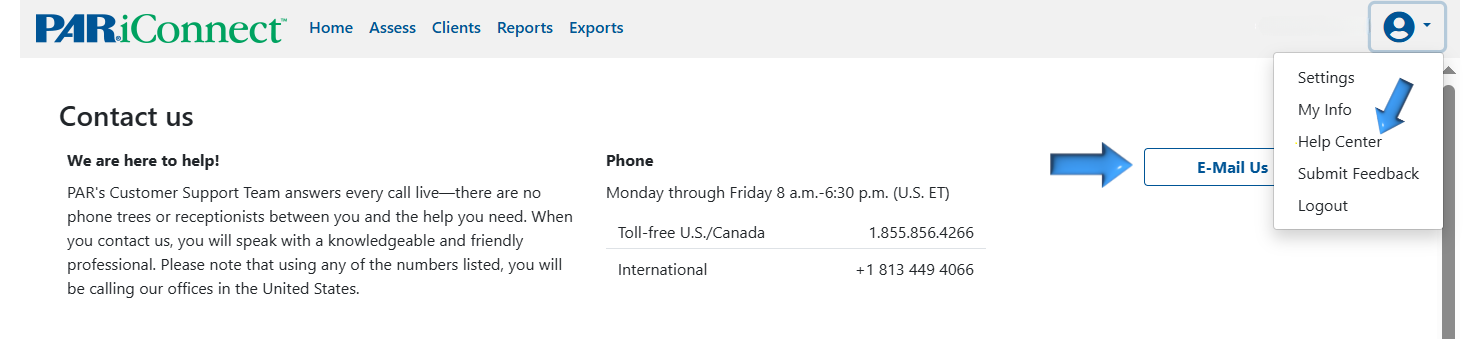
Or visit our PARiConnect Support page for all the ways to contact us.